

Technology has taken a giant leap in the last few decades in terms of internet and its usage. The race to become number one in digital technology has brought fantastic things for all of us. Now we are equipped with many peripherals in our day-to-day life, be it smartphones, smart watches, VR glasses, internet hotspots, etc.
Along with growth on the technical side, we have also grown in our personal lives too, and we are much more worried about the security of our belongings. The race to grow has made our lives more away from home, more away from our family.
In my work profile, I need to travel more frequently, leaving my family at home. In families with young kids and working parents, sometimes it becomes difficult to give caring time to kids. I too faced this situation as both of us are working and adjusting time for kids becomes a little difficult.
We had to opt for a caretaker for our kid for some time. However, we needed to monitor the home and the kid while we are away from home.
There are many products available in the market, even online, to set up a CCTV system for monitoring your kids or home. While I had to opt for a product suitable for my home, I did read a lot on the internet for these products.
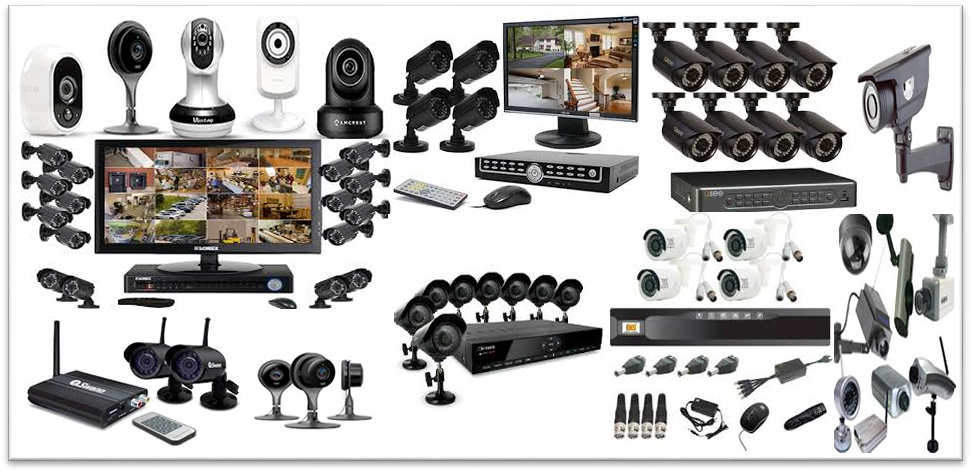
In between, I got to know about an easy method to quickly setup a CCTV with almost no cost and no time. It requires only the following things at most:
- An old smartphone with a camera
- Internet
- A streaming app
- A power source and a stand
Here I will explain and guide you to set up your own CCTV system for monitoring your home with the above minimum things.
An old Smartphone:
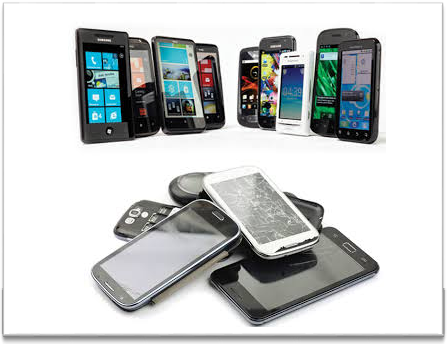
Boom in the electronic market is such that today there are tons of companies offering smartphones with great features every week or month with continuously dropping prices. We keep buying smartphones to keep ourselves upgraded with the latest features. By this, we end up having at least one or two old smartphones somewhere in a drawer or cupboard at home.
Just take out one such old smartphone which you have stopped using and abandoned, or just take one from family and friends who have recently changed their smartphones, making the older phone orphan.
We do not need a high-end smartphone with 6GB RAM or 64GB ROM, or a 5.5'' display. What we need is just a working smartphone with a minimum 1GB RAM, healthy battery, and working camera (front or rear or both if available).
Internet
You need an internet connection for this smartphone, which you have selected for converting into a CCTV camera.
Nowadays, internet has become the cheapest of all in the market after the hurricane called "JIO". In this rain of free data offers, it’s easy to have internet at home now. Options with you are as below:
- Have a less-used SIM card and insert it into your to-be-CCTV smartphone, recharging it with only a data pack (you need a 1GB data plan per month only for normal day-to-day monitoring).
- Or nowadays Wi-Fi devices are available with cheap plans. Just set up one such Wi-Fi hotspot at home, or even you might already be having one.
A streaming App
While I was researching good CCTV cameras available in the market, I came to know that there are many apps which can convert your smartphone into a homemade CCTV camera. I tried many apps before finalizing on one app named "ALFRED CAMERA".
This is a free app available on Google Play Store.
Alfred Camera App
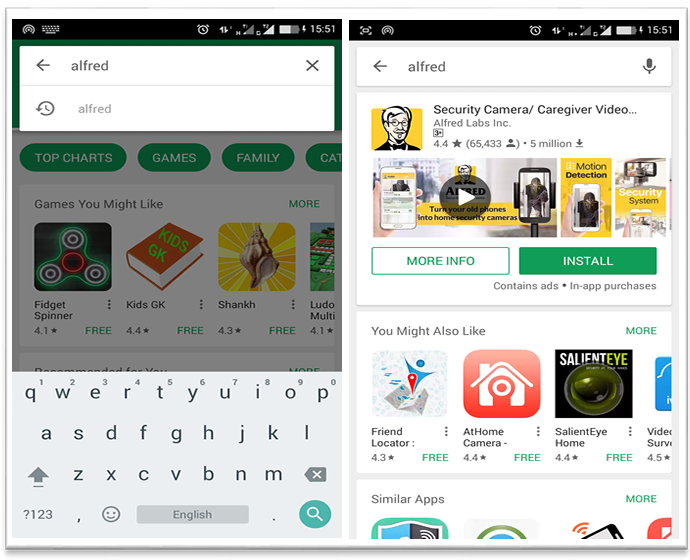
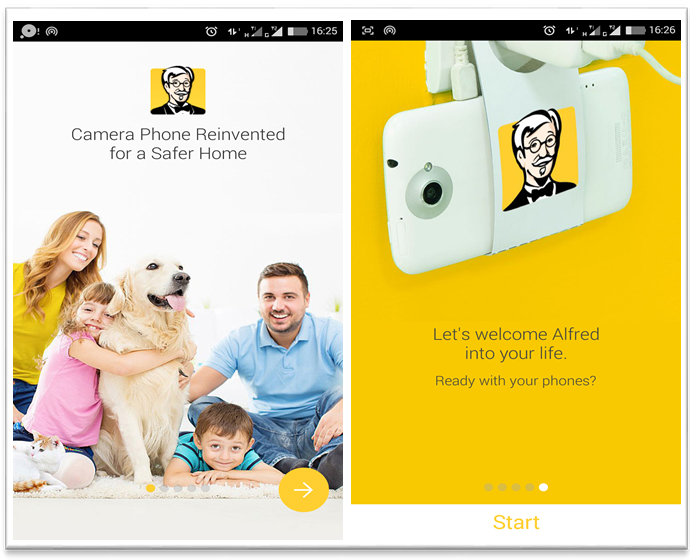
Just download the app on the old smartphone for free and install it. Setup of the app is very easy in 3-4 steps.
Installation of Alfred app in your old smartphone
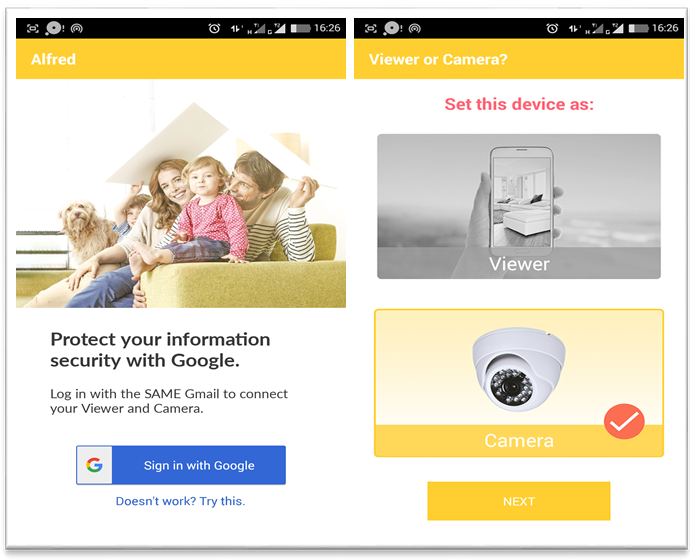
Just log in with your Play Store email ID and set this phone as CAMERA. You have now just set up your old smartphone into a brand new homemade CCTV camera.
Login and Setup
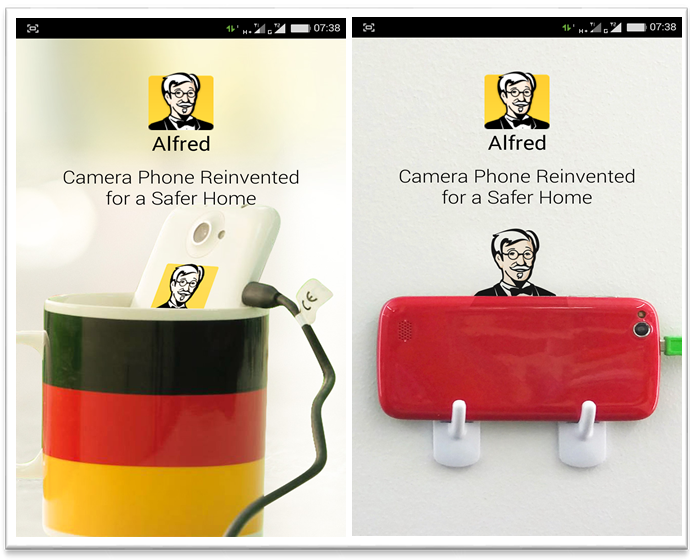
- As you have just got your newly made CCTV camera, the next step is to install it somewhere as per your need. Just find a place at the corner of the room such that the required area is covered by the camera of the phone. You only need to ensure that a power socket is available nearby.
- For fixing the phone, there are many methods available. I did it by hanging on hooks, easily available in D-marts or any hardware stores.
Fixing up your CCTV camera
Now it's time to test your CCTV camera.
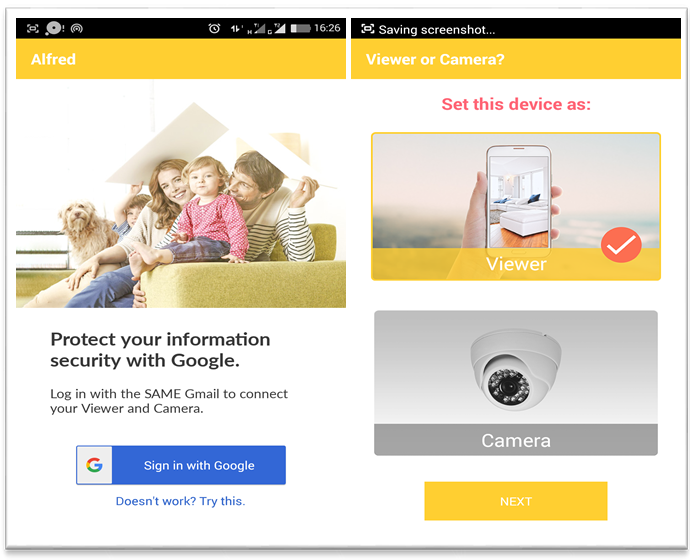
Install the same ALFRED app in your own phone (the one which you are using). Set this device as "VIEWER", and log in with the same email ID which you used for setting up the CCTV camera on the old phone.
Installing in your Smartphone
Ta-Da, you have set up the CCTV now.
Open up the app in your own smartphone. The home screen will show connected cameras as shown in the picture below.
You can connect more than one camera to your smartphone/phones.
Using Features
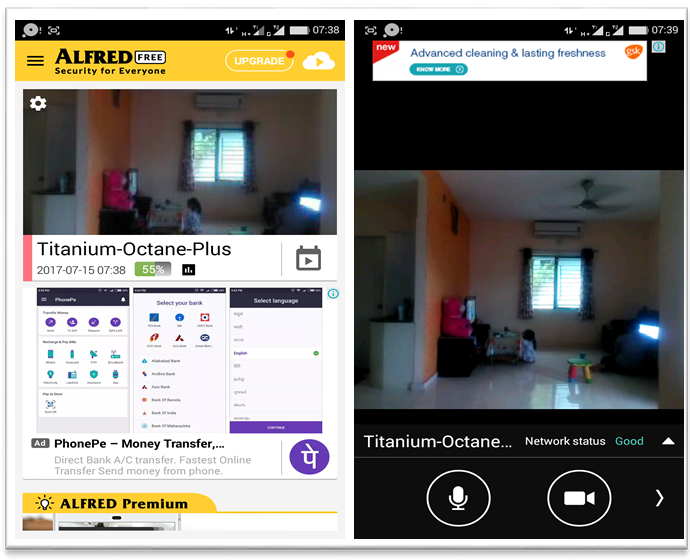
Features:
- It supports live feed of video along with audio.
- You can change the view from landscape mode to portrait mode.
- If you have fixed your camera such that both front and rear cameras can be used, you can switch between these two cameras, giving you a 360-degree view.
- You can use it to speak to a person at HOME.
- You can even do video calls.
- If you want to get notifications for any movement, you can turn ON the motion detection of the CCTV camera too.
- Battery health is also monitored.
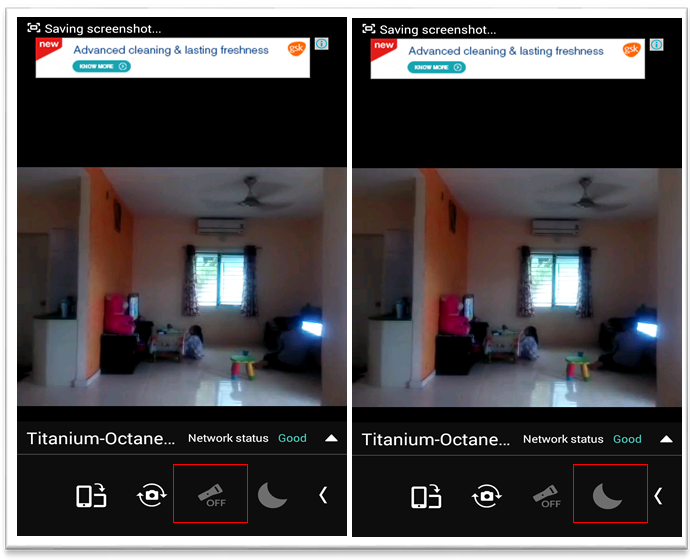
- At night, you can turn on the LED flash of the camera device to see what's happening at your home.
- You can even use Night Vision mode.
Hope you liked the above article. So what are you waiting for? Just get your own homemade CCTV camera now, as I did it for myself.